Redesigning Password Policy to Reduce Support Burden
Client
Laerdal Medical AS
Industry
Healthcare & Medical Technology
Role
UX Design Lead
Duration
2 months
Services
UX Design, Research & Analysis, Technical Documentation, Accessibility
Impact Summary
- Support tickets dropped to near zero for password-related issues
- Simpler requirements while maintaining security standards
- Real-time strength guidance encouraged better passwords voluntarily
- NIST-compliant approach balanced usability with security needs
The Problem
During a customer interview with two medical training experts, we had to pause for several minutes while they searched for their account password, eventually finding it written on a post-it note. This wasn't an isolated incident.
Screen recordings showed users clicking around the sign-in page after failed login attempts, confused about what to do next. Analytics revealed frequent authentication failures. Support teams were overwhelmed with password reset requests, some escalated all the way to developers.
The root cause was an overly restrictive password policy requiring four different character types. For non-technical medical professionals unfamiliar with password managers, this created constant friction. Users couldn't remember complex passwords, got locked out, and relied on workarounds (like post-it notes) that defeated the security purpose entirely.
Taking a Standards-Based Approach
The Digital Director initiated the project, coordinating with developers whilst asking me to lead the UX of password flows. We agreed to use NIST guidelines as our framework, as most customers were US-based.
NIST's research was clear: "Users will always do what makes their lives easiest, even if they know their behaviour compromises password security. So if you create the kind of user experience that uses this tendency to encourage safe behaviour, it helps you keep their data secure."
This gave us the evidence we needed. Password security ultimately comes down to the user's choices, not arbitrary complexity rules. Our job was to make it easy for users to create strong passwords voluntarily.
This confirmed our direction. Strong passwords come from user-friendly experiences, not arbitrary complexity rules.
What Changed
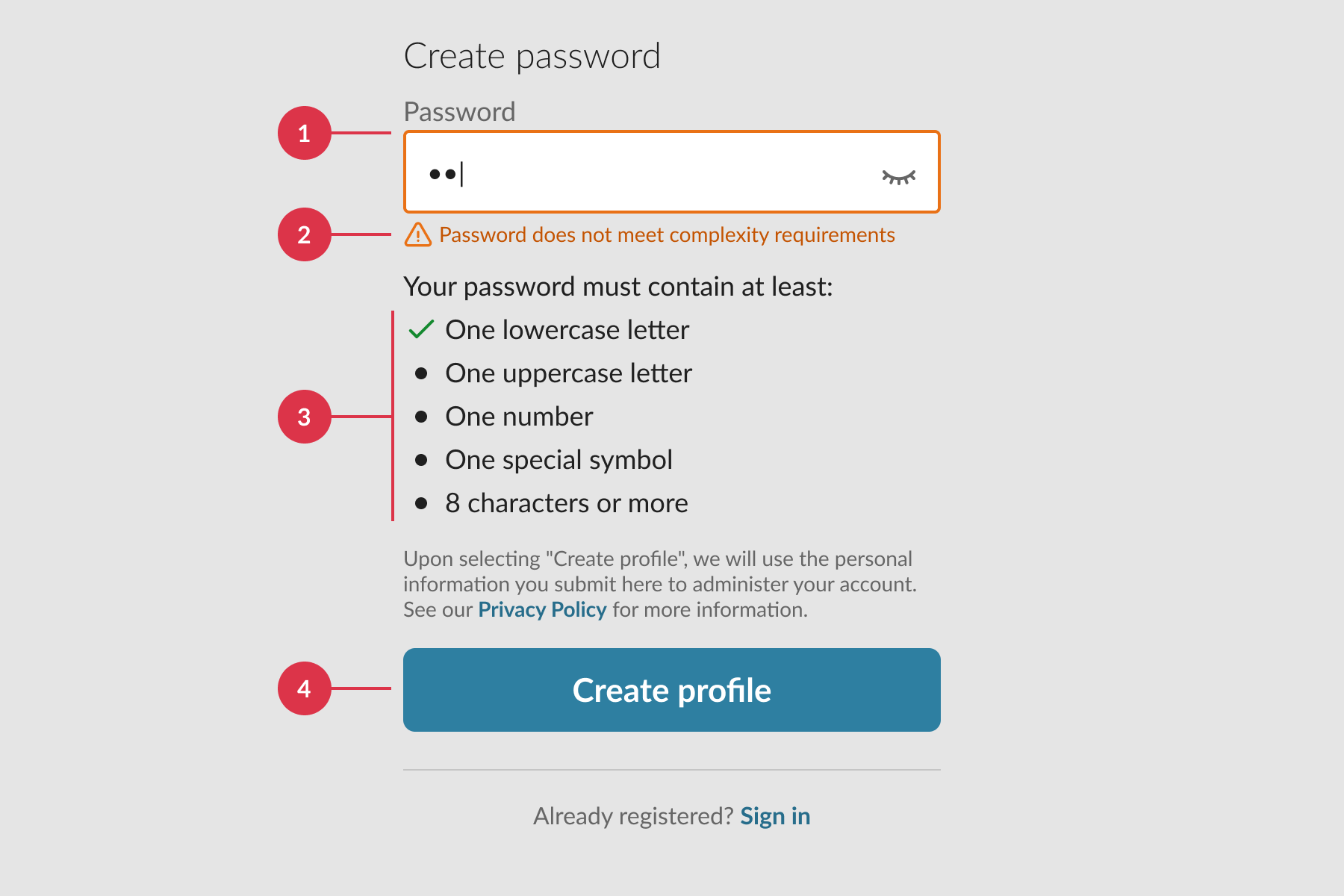
I analysed the existing password requirements across systems and identified four core problems:
- Feedback appeared immediately after the first character, overwhelming users
- Unclear error messages didn't help users understand what to fix
- Long lists of requirements slowed people down and created confusion
- Always-active submit button led to unnecessary error states
The new design addressed each of these:
- Removed mandatory composition rules. No more forcing four character types. Users could create memorable passphrases without arbitrary restrictions.
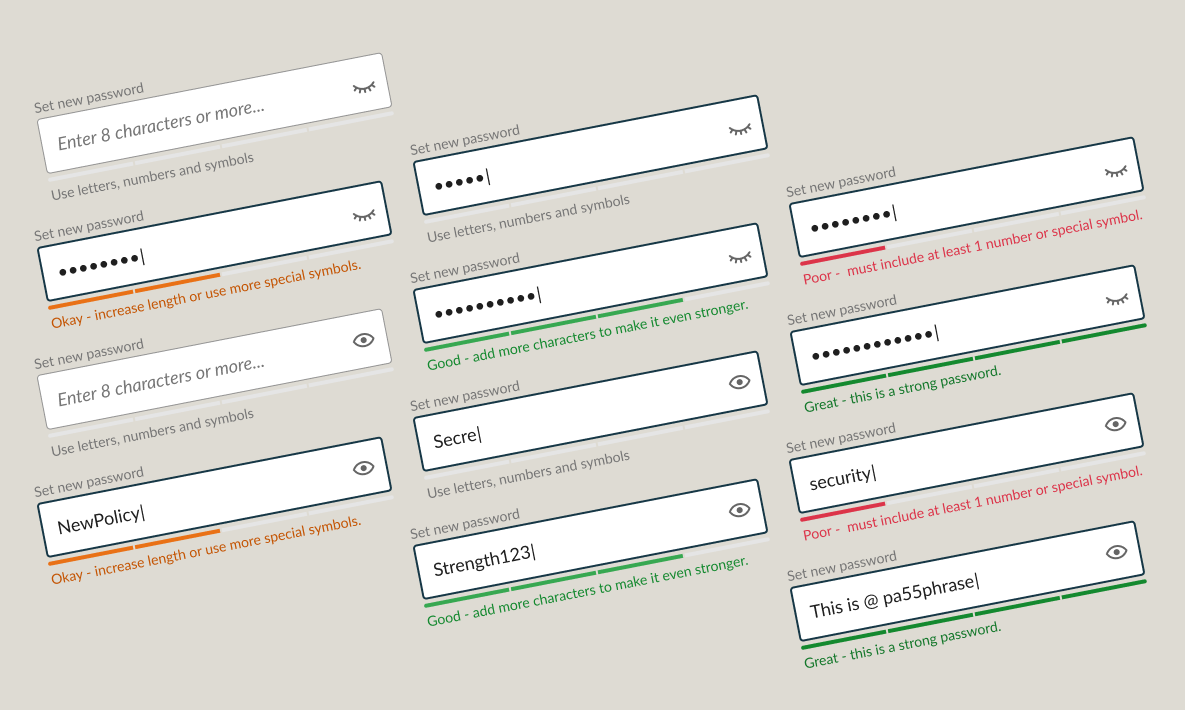
- Added real-time strength indicator. Visual feedback showed password strength as users typed, with plain-language guidance like "increase length" or "include special characters" to encourage improvement.
- Delayed validation. Feedback only appeared when helpful, not immediately on first keystroke.
- Clearer guidance. Simple, actionable text replaced technical jargon.
- Better accessibility. Better visual design and option to unmask password for easier verification.
This aligned with NIST recommendations: longer passwords, support for spaces, feedback instead of restrictions.

The Impact
Subsequent customer interviews and screen recordings showed the difference. Users created passwords quickly and successfully. The confusion was gone.
Support tickets for password issues dropped to near zero—a dramatic reduction from the steady stream teams had been handling. Users could now self-serve through password resets with clear UX guidance.
More importantly, we'd shifted the dynamic. Instead of fighting against restrictive rules, users were encouraged to create stronger passwords through helpful feedback. Security improved because the experience supported it, not despite it.
What made this work
Evidence-based decisions.
NIST guidelines
gave us the framework to push back against "just make it more
complex" instincts.
Balancing competing needs.
We satisfied
security requirements whilst dramatically improving usability—not
by compromising, but by following research about what actually
makes passwords secure.
Clear communication.
I authored a detailed
report outlining problems, research, and recommendations that
helped stakeholders understand why simpler was actually better.
Practical implementation.
By including
FEDRAMP guidance, we addressed edge cases without derailing the
core improvement.